Grok Bot Routines Explained: 3 Weekly Reports That Run While You Sleep (With the Exact Prompts)


If you are like me you have probably set up a few "automations" over the years and then forgotten about them, or worse, they quietly broke and you never noticed.
So I was a bit sceptical when I started playing with routines in Grok Bot.
But I've now had a few running for a couple of weeks and they have genuinely changed how I plan content and keep on top of client work. So I figured I would share exactly what I set up, the prompts I use, and what went wrong the first time.
What is a routine?
In plain English, a routine is just a saved prompt that runs on a schedule.
You tell Grok Bot what you want done and when, and it goes off and does it, even when you aren't at your computer. When it's done it messages you in the chat.
That's it. No flowcharts, no Zapier, no connecting boxes together.
Report 1: What's trending on X this week
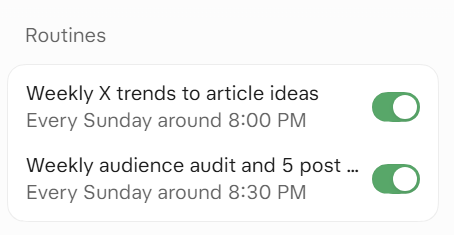
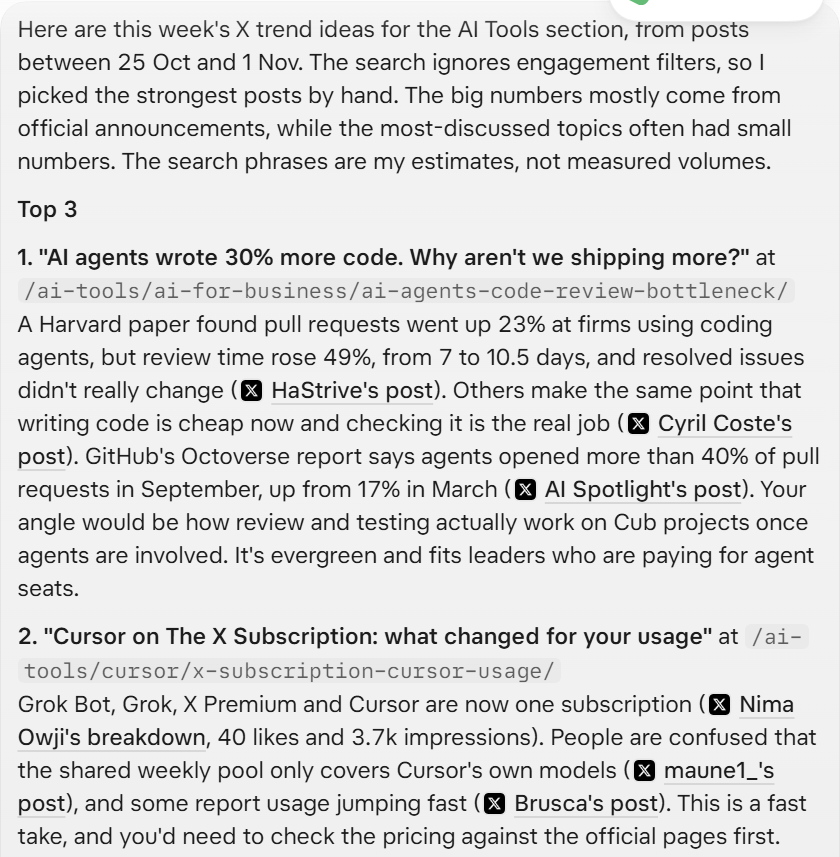
Every Sunday at 8pm, Grok Bot looks at what people have been talking about on X over the last week in AI coding and AI tools, and gives me 8 article ideas for my thinktank blog.
This is the one I like the most because it feels more human than random LLM ideas. Every idea comes with the actual posts behind it, so I can click through and see what real people are saying.
Prompt
Each week, research what has been trending on X over the previous 7 days in AI coding and AI tools: Cursor, Claude Code, Grok / Grok Bot, GitHub Copilot, AI coding agents, AI agents and automation, and AI for business. Favour posts with strong engagement and complaints or questions that recur over plain product announcements, and note anything relevant to NZ and Australia.
Produce 8 ranked article ideas for my blog. For each idea give: working title; proposed URL; 2 to 3 X post links as evidence with author, a short paraphrase and engagement numbers; a target search phrase (estimate, never invent search volumes); why it matters to NZ/AU business leaders or developers; the angle I can add from real client projects; overlap with articles I've already planned; and whether it is evergreen or a fast-take.
Do not repeat ideas from earlier weeks unless there is clearly new momentum. Never invent posts, numbers or links. Lead with the top 3 ideas.
Why each bit is there:
- "Complaints or questions over plain product announcements." The first time, it was mostly launches with huge numbers. Launches are news. Complaints are where the good articles are.
- "Never invent posts, numbers or links." Always put this in. You want to be able to click every link.
- "Do not repeat ideas from earlier weeks." Otherwise you get the same 8 ideas every Sunday.
Report 2: What my readers actually want
Half an hour later, a second routine kicks in. It looks at my analytics in PostHog for the last 90 days, works out what my best posts have in common, and writes me 5 post briefs in a Google Doc.
This one surprised me the most. It told me things about my readers that I kind of knew but had never spelled out:
- They come for a named framework they can use at work that day (like my one-way vs two-way door post).
- They skim. Most people are on a page for under a minute and a half.
- They almost never click through to Cub Digital, but they do click useful next steps like prompts and other posts.
That last one was a bit of a kick in the guts but really useful to know.
Prompt
Run about 30 minutes after the weekly X trends routine. Using my PostHog project, audit the best performing posts on my blog for the last 90 days: pageviews and unique visitors by post, and where available scroll depth, time on page, entry pages, referrers and clicks through to my agency site. Compare with the previous 90 days. Report only numbers the tools actually returned; if data is thin, say so plainly instead of guessing.
Then explain what the pattern says about my audience's psychology: the problems, fears and goals behind the winning posts, the formats and titles that win, and how deeply they read.
Combine that with this week's X trend ideas and draft 5 new post briefs. For each: working title; URL; a bullet-point outline; why this audience would click; the target search query (estimate only); how to stand out from what already ranks; and a Google authority checklist.
Write it as a Google Doc in my Drive. Then message me the link, a 3-line takeaway and the 5 titles.
Why each bit is there:
- "Run about 30 minutes after." It uses the first report's ideas, so it needs to run after it.
- "If data is thin, say so plainly instead of guessing." The most important line. Analytics plus AI can make a very confident story out of nothing.
- "Google Doc." I hate Word. Enough said.

Report 3: Filing my client emails while I sleep
This one is a bit more hardcore, but it's the one I'd miss the most.
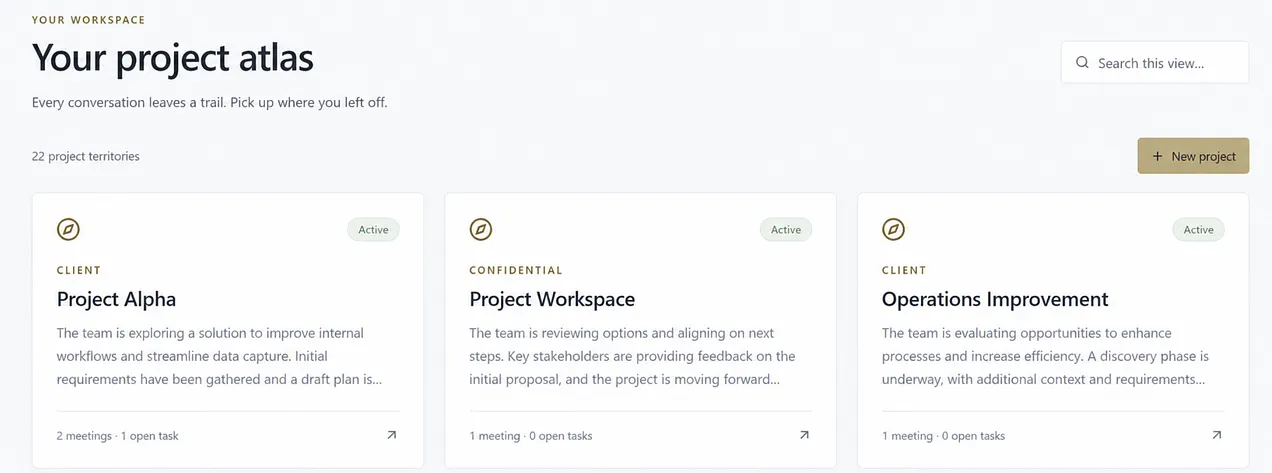
I built a little internal tool that keeps a library of everything for each client and project: scope, decisions, wireframes, invoices. The problem is most of that lives in my inbox, and I'm never going to sit down every week and file emails.
So every Sunday night a routine goes through my Outlook for the week, picks out the emails that actually matter, and files them against the right client and project. Attachments get saved too. If it finds a new piece of work that doesn't have a project yet, it creates one.
The first time I tried this I didn't filter properly, and it imported 336 emails. Newsletters, login alerts, the lot. It was a mess to clean up. So now the prompt is very clear about what to keep and what to ignore.
Prompt
Every Sunday at 7pm, review the incoming emails I received from Monday to now in Outlook. Also catch up anything missed since the last successful run.
Import only useful client and project correspondence: scope, commitments, decisions, dependencies, technical material and genuine billing. Exclude newsletters, cold pitches, personal mail, login and system alerts, blank drafts and redundant replies. If you're unsure whether something is useful, mark it as needs review rather than guessing.
File each email against the right client and project, and save meaningful attachments and diagrams (not signature logos or icons). If a clearly separate piece of work has no project yet, create one with a sensible name and summary. Don't create projects for one-off notices or vague mentions.
Never change, delete or send any email. Don't import anything twice. Only message me if you imported something meaningful, created a project, hit a failure, or need me to review something. Otherwise stay quiet.
Why each bit is there:
- "Exclude newsletters, cold pitches..." The lesson from the 336-email mess. Tell it what to ignore, not just what to keep.
- "Mark it as needs review rather than guessing." AI loves to be helpful and file things somewhere. I'd rather it asked.
- "Never change, delete or send any email." Read-only on my inbox. Non-negotiable.
- "Only message me if..." Most weeks it has nothing to say, and that's fine. I don't want a "nothing happened" message every Sunday.
What went wrong the first time
I want to be honest here, because this is the bit most posts skip.
- Bots in my analytics. The first audit said about a third of my visitors came from China. When I asked Grok Bot to dig in, most of it was a Chinese search engine crawler (Sogou), and the rest had zero clicks and never came back. So my visitor numbers were inflated by about a third. I would never have found that on my own.
- The reports couldn't talk to each other. The second report couldn't see the ideas the first one sent me in the chat, so it went back to the raw X data instead. It worked, but it's worth knowing they run separately.
- The 336 emails. Covered above. Be specific about what to leave out.
- Missing tracking. It kept telling me it couldn't measure clicks through to Cub Digital or how far people scroll, because I wasn't tracking those. So the routine ended up being a nudge to fix my own analytics.
What I don't let it do
This is the part people ask me about most.
My routines can read things and write things for me: a Google Doc, a message to me, a filed email in my own tool. They don't send emails or post anything on my behalf, and my email routine is read-only on my inbox. If a routine ever wanted to send something, Grok Bot drafts it and I press send.
For me that's the right line. Reports are a two-way door. Emails to clients are not.
So how do you set one up?
It's honestly as simple as typing what you want and when. I literally said "can you do it Sunday 8pm" and it set it up.
My tips:
- Start with something you already do every week and don't enjoy.
- Tell it what to do when there is no good data. Otherwise it will make something up.
- Tell it when to stay quiet, so you only hear from it when it matters.
- Ask for the result in a format you'll actually read.
If you want help setting up routines like this for your team, that's the kind of automation work we do at Cub Digital.
As always this post is not endorsed and I'm not affiliated with Grok or anything. I just like posting about products I use and trying to help other people like me.
If you have routines you are running that I should try, let me know, as I still feel like I'm learning a lot!